Loading
Customer mobile app — login flow
Your customers log into the same app your team uses. Name + phone. Done.
The all-in-one mobile app means your customer base doesn't need to download a second app to track their job or check their warranty. They open SalesThumb, type their name + phone, get a 6-digit SMS code, and land on a portal showing only their stuff. Staff get a different login (email + password) and a per-employee mobile_role flag (NONE / INSTALLER / SALES / BOTH) decides which tabs appear. No app-switching, no second download, no separate brand.
- Passwordless SMS-code login (6 digits, 10-min TTL, 5-attempt lockout)
- Re-uses the existing 30-day customer portal token format
- Multi-shop disambiguation via name hint + most-recent-appointment heuristic
- Phone normalization shared with the Twilio inbound webhook
- Enumeration-safe: requestCode always returns ok:true regardless of phone match
- 3-codes-per-hour rate limit per phone
What this looks like in a shop
Illustrative scenario: Sarah just got her Tesla tinted at Atlas. The shop rang her up, she paid via pay link in the lobby. Two days later she remembers Mike said something about checking her warranty in the app, but she lost the SMS link. She downloads SalesThumb, taps 'I'm a customer', types Sarah Chen + 555-0142, gets a code in 4 seconds, and lands on her account with the appointment history and the warranty cert for her Tesla. No password, no support call to the shop.
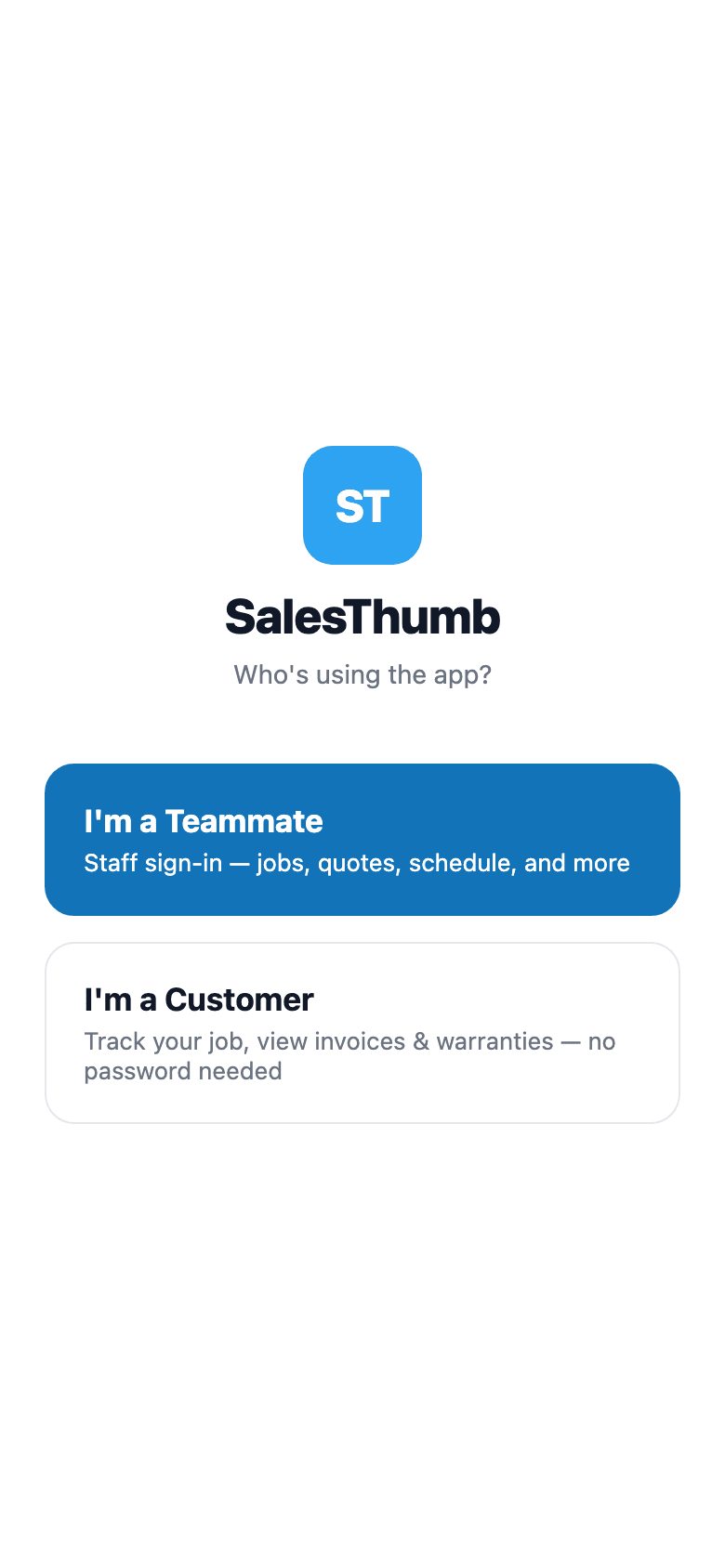
Customer login flow
Mobile app — staff sign-in
Your team's login. Separate from your customers', on purpose.
Staff and customers share one app, not one login. Techs and owners sign in with the email + password they already use on the web dashboard — same Better-Auth account, same permissions, no second set of credentials to manage. The session token lands in Expo SecureStore and rides along as a Bearer header on every request after that, so the app doesn't ask again until the token expires or someone signs out.
- Email + password against the same Better-Auth account as the web app
- Session token stored in Expo SecureStore, encrypted at rest
- Token sent as Authorization: Bearer on every tRPC call after sign-in
- Same role + permission model as web — no separate mobile permission set
- Separate SecureStore key from the customer session, so one device can hold both
What this looks like in a shop
Marcus starts his shift, opens SalesThumb on his phone, and signs in with the same email + password he uses at the front-desk computer. He doesn't touch the login screen again for weeks — the app stays signed in through restarts, dead batteries, and a phone swap mid-month (same credentials, new device). If he ever needs to check his own warranty as a customer, that's a completely separate flow with its own session — the two never collide.
“Who's using the app?” comes first
Mobile app — access control
One app. Everyone's home screen looks different.
A tech and a salesperson shouldn't see the same tab bar — one needs today's jobs and the schedule, the other needs customers and quotes, and neither needs the owner's Dashboard cluttering their menu. SalesThumb mobile gates its whole navigation on two fields already set per employee: mobile_role decides field access (Today/Schedule for installers, Customers/Quotes for sales), and the shop's membership role decides manager access (Dashboard for OWNER/ADMIN/MANAGER). Owners always get the field tabs too, even if nobody bothered to set their own mobile_role.
- mobile_role enum: NONE / INSTALLER / SALES / BOTH, set per employee
- Today + Schedule gated on INSTALLER or BOTH (or owner)
- Customers + Quotes gated on SALES or BOTH (or owner)
- Dashboard gated separately on membership role (OWNER / ADMIN / MANAGER)
- Messages, More, and Profile are open to every role, always
- Destination screens re-check access server-side — hiding a tab is a UX nicety, not the security boundary
What this looks like in a shop
Priya works the sales counter — her mobile_role is SALES, so her app opens to Customers and Quotes, no Today/Schedule clutter. Marcus installs — his mobile_role is INSTALLER, so he sees Today and Schedule instead. The shop owner, Dana, has mobile_role BOTH and is also the OWNER, so her app shows every field tab plus the Dashboard. Nobody had to be trained on which tabs to ignore — the app just doesn't show them the ones that aren't theirs.
Same app, different "Go to" menu
Two dimensions decide what a teammate sees — mobile_role for field access, membership role for the manager tools
Installer
mobile_role: INSTALLER
Today
Schedule
Messages
More
Profile
Sales
mobile_role: SALES
Customers
Quotes
Messages
More
Profile
Owner / Manager
membership role: OWNER / ADMIN / MANAGER
Today
Schedule
Customers
Quotes
Dashboard
Messages
More
Profile
Messages · More · Profile (dimmed above) are open to everyone, on every role
Installer, Sales, and Owner — three different menus
Installer & Customer Mobile Apps
One app for your techs. One for your customers.
Your techs aren't at a desk. Your customers aren't either. SalesThumb ships two native apps — one for the people doing the work, one for the people paying for it — that ride on the same platform your web dashboard does. The installer app is the tech's day: clock in, today's board with bay assignments, one-tap photo capture pre-tagged to the job, and a single 'advance' button that moves a job from confirmed through checked-in, in-progress, ready, and completed — broadcasting every change straight to the front desk. The customer app is your shop in their pocket: a live progress bar while their vehicle is in the bay, loyalty stamps, quotes waiting on their approval, invoices with a balance, and a read-only warranty wallet for every vehicle with a registered warranty. It's the SalesThumb app with your shop's name on it today — a fully white-labeled app under your own brand in the App Store is on the roadmap (2026 Q4).
- Today's board with bay + service + scheduled time
- One-tap clock in / clock out / break, time recorded automatically
- Photo capture pre-tagged to the job — no album-hunting later
- Status updates flow straight to the front desk in real time
- Digital vehicle inspection with customer sign-off, autosaved locally as you go
- Installer leaderboard + tip + commission visibility (if enabled)
What this looks like in a shop
Illustrative scenario: Marco rolls in at 7:45am, opens the installer app, sees his jobs for the day with bay assignments. He clocks in, grabs his first Tesla, snaps a few before photos, and taps 'Start Job.' The front desk sees his status flip to In Progress without a single radio call. When Alicia checks the app on her lunch break, she sees the same progress bar creeping toward 100% — no call to the shop needed to ask 'is it done yet?'
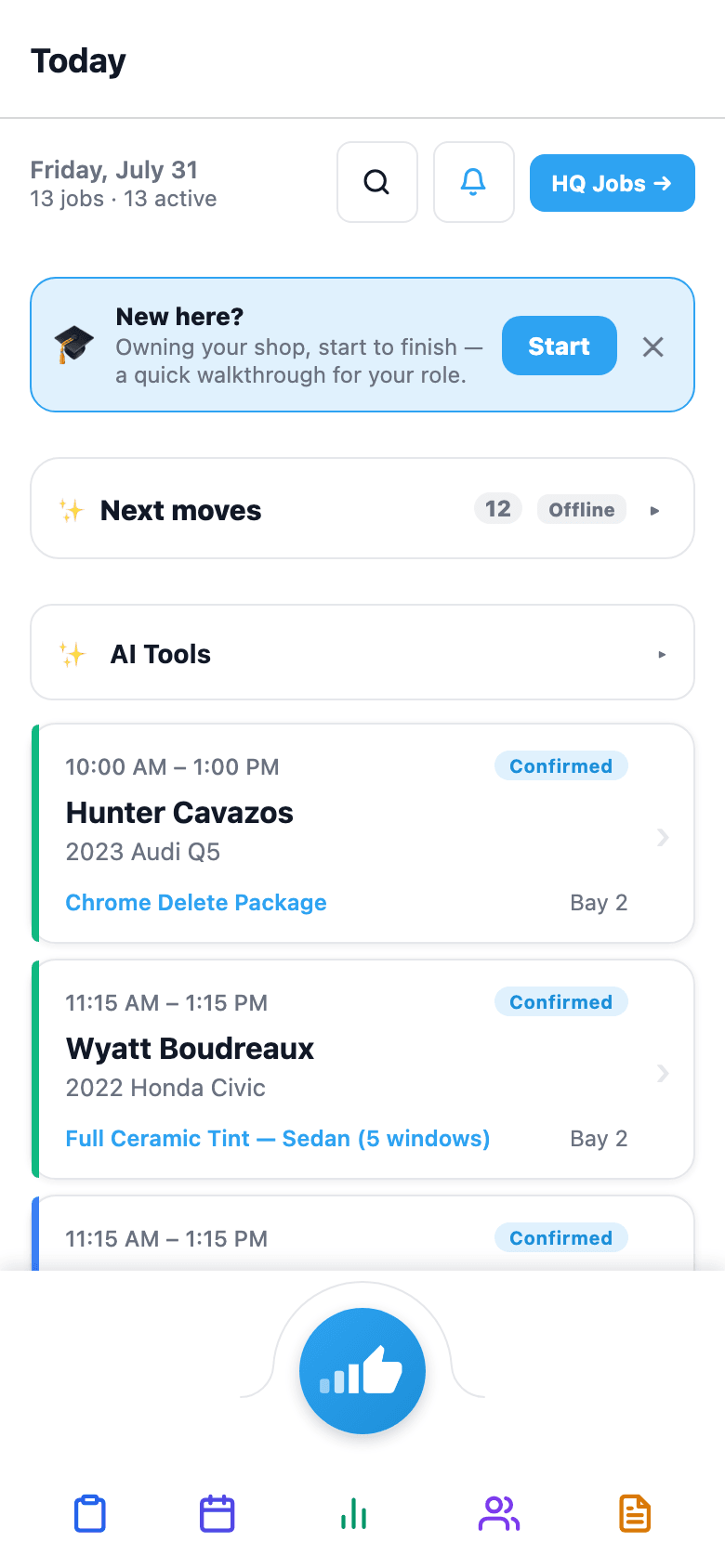
Installer home
Mobile app — vehicle lookup
Point the camera at the VIN. Skip typing 17 characters by hand.
Typing a 17-character VIN correctly, twice, while a customer is standing at the counter is a small but constant tax on every intake. SalesThumb's VIN scanner uses the phone's camera to read the CODE-39, CODE-128, or Data Matrix barcode automakers already stamp on every VIN sticker, then decodes it against NHTSA's free vPIC API for year, make, model, trim, and body class. Body class is the quiet payoff — it lets the compliance widget default the vehicle's tint-law class (sedan vs. SUV/truck) automatically instead of asking the tech to pick it.
- Reads CODE-39, CODE-128, and Data Matrix VIN barcodes
- Decodes via NHTSA's free, no-API-key vPIC database
- Returns year, make, model, trim, and body class
- Body class auto-maps to sedan vs. SUV/truck for tint-compliance defaults
- I/O/Q character rejection — VINs never contain those letters, so a misread doesn't sneak through
- "Use this vehicle" attaches the decoded data straight to the customer or quote record
What this looks like in a shop
A customer pulls up for a same-day ceramic coat. Instead of asking for the VIN and typing it off their registration, the tech opens the scanner, aims at the door-jamb sticker, and gets a lock in under a second: 2023 Tesla Model 3, Long Range AWD, Sedan/4-Door. One tap on 'Use this vehicle' and the year/make/model/trim land on the customer record — no typos, no second lookup to confirm the body class for the tint-law compliance widget.
Aim at the VIN barcode (door jamb, dash, or windshield)
5YJ3E1EA XKF317542
2023 Tesla Model 3
Long Range AWD
Sedan / 4-Door
Scan again
Use this vehicle
Scan → decode → confirm
Job Photos (Before / After / Damage)
Before, after, and the damage you called out on drop-off.
Photos are the most under-used tool in a tint shop. Shot right, they win disputes and turn every install into shareable content. SalesThumb captures before / after / damage photos from the installer's phone, links each shot to the appointment (and through it to the customer and vehicle), and gives the customer a branded gallery URL they can share. When something goes wrong six months later — 'was that scratch there?' — you open one screen, see the pre-install damage-tagged photo with the timestamp, and the conversation's over.
- One-tap shortcut from today's schedule to the active appointment
- Category picker first: before / after / damage
- Background upload — tech keeps working while the photo uploads
- AI-suggested one-line caption per photo — tech can edit or accept
What this looks like in a shop
Black Tesla comes in, has a small scratch on the front bumper. Installer tags it as damage with a photo + caption. Three hours later the ceramic coat is done, installer captures 8 after-shots. Customer gets a laid-out gallery URL they can share with friends. Zero 'did you do this?' arguments, guaranteed.
Priya M. · 2023 Mazda CX-5 · gallery
38 photos · installed Apr 20 by Alex P.
All38
Before12
After24
Damage2
Hero · before / after

Before

After
Hero
After shots · 24
Clean install
Edge detail
Wide shot
Close-up
Full vehicle
Finish check
Side angle
Final shot
Summary
Before12
After24
Damage2 · pre-existing
Share
salesthumb.co/g/apt-1120
Native share sheet (Messages, IG, etc.)
Caption
Full vehicle ceramic tint, driver-side rear glass — clean black wrap line, no air pockets visible
AI-suggested per photo — one line, tech can edit or accept
Gallery view
Also on mobile
Photo → Quote and Install QC — the two AI photo tools — sit right on the mobile app's Today screen, one tap from the installer's job queue.
Mobile app — team voice
Hold the button. Talk. It plays out loud on the other end.
Texting is slow when you've got tint film on your hands and a question for the guy in Bay 2. Walkie is push-to-talk built into the app everyone already has open: hold the mic button, talk, release — the clip goes to the whole shop or one teammate and plays out loud on their end automatically, no tap required, exactly like a real walkie-talkie. Missed it? It stays in the inbox to replay, and a free on-device transcript sits right under the clip so you can skim what was said without hitting play.
- Hold-to-talk recording, release to send
- Send to the whole shop or one specific teammate
- Incoming clips auto-play out loud (toggle Live / Muted)
- Free on-device speech-to-text transcript under each clip — no cloud, no per-use cost
- Clips stay in the inbox to replay if missed
- Gated to staff with a mobile_role (installer, sales, or manager) — internal comms only, no customer data
What this looks like in a shop
Marcus is elbow-deep in a ceramic install and needs to know if the next customer's Tesla is checked in yet. He holds the Walkie button, says the question, releases — it goes to the whole shop and plays out loud on Priya's phone at the front desk a second later. She answers the same way without touching her keyboard. If Marcus missed it because he had earbuds in, the clip's still sitting in his inbox with a transcript underneath so he can read it instead of replaying the audio.
Incoming plays out loudLive
Send to
📣 Whole shopMarcusPriya
Hold to talk
→ Whole shop
Recent
Marcus
Shop · 2m ago · 0:08
“Bay 2's ready for the Model 3 whenever you are.”
Priya
Direct · 14m ago · 0:04
Hold to talk, transcript included
Real screens, real app
Every screen your team and customers actually use
Captured straight from the Expo app — not mockups.


Today screen
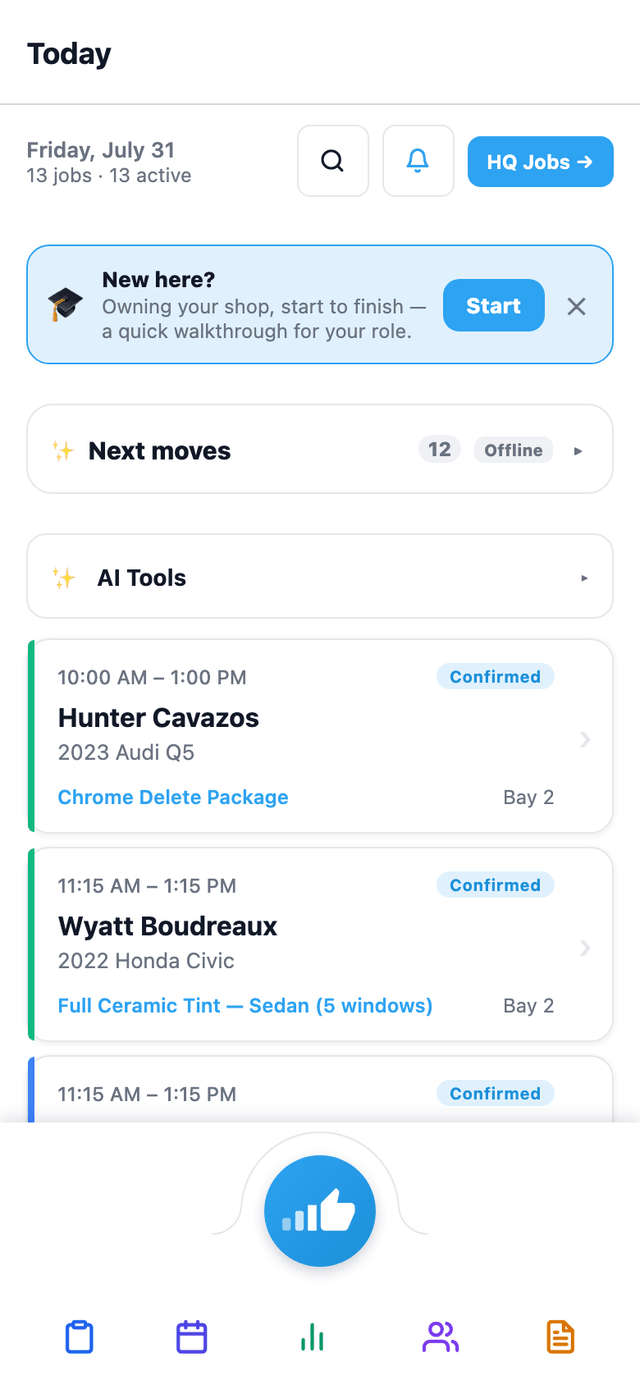
Tech opens the app and sees today's jobs sorted by priority + bucket chips (Drop-offs / In-Progress / Ready). Live JobTimer per job.
Screenshot tour of the SalesThumb mobile app: Today screen, Schedule, Customers, Quotes, customer login, staff login, Messages, Tools, and Awards.
More in mobile app
Supporting tools that round out the pillar.
On-device push notification
New job assigned → push fires to the installer's phone within a few minutes, even when the app is backgrounded. A walkie-talkie voice clip also pushes instantly to its recipients. No push yet for reminders, time-off, or inbox messages.
Other pillars
The full feature taxonomy.
Operations core
Run your shop
17 features
The moat
AI built in
15 features
What your customers see
Customer experience
16 features
Drive demand · fill the calendar
Growth
8 features
Run 2 to 200 shops · franchise-grade
Multi-location & franchise
11 features
Franchise development · pre-award
Franchise Sales
6 features