Loading
Customer mobile app — login flow
Your customers log into the same app your team uses. Name + phone. Done.
The all-in-one mobile app means your customer base doesn't need to download a second app to track their job or check their warranty. They open SalesThumb, type their name + phone, get a 6-digit SMS code, and land on a portal showing only their stuff. Staff get a different login (email + password) and a per-employee mobile_role flag (NONE / INSTALLER / SALES / BOTH) decides which tabs appear. No app-switching, no second download, no separate brand.
- Passwordless SMS-code login (6 digits, 10-min TTL, 5-attempt lockout)
- Re-uses the existing 30-day customer portal token format
- Multi-shop disambiguation via name hint + most-recent-appointment heuristic
- Phone normalization shared with the Twilio inbound webhook
- Enumeration-safe: requestCode always returns ok:true regardless of phone match
- 3-codes-per-hour rate limit per phone
What this looks like in a shop
Illustrative scenario: Sarah just got her Tesla tinted at Atlas. The shop rang her up, she paid via pay link in the lobby. Two days later she remembers Mike said something about checking her warranty in the app, but she lost the SMS link. She downloads SalesThumb, taps 'I'm a customer', types Sarah Chen + 555-0142, gets a code in 4 seconds, and lands on her account with the appointment history and the warranty cert for her Tesla. No password, no support call to the shop.
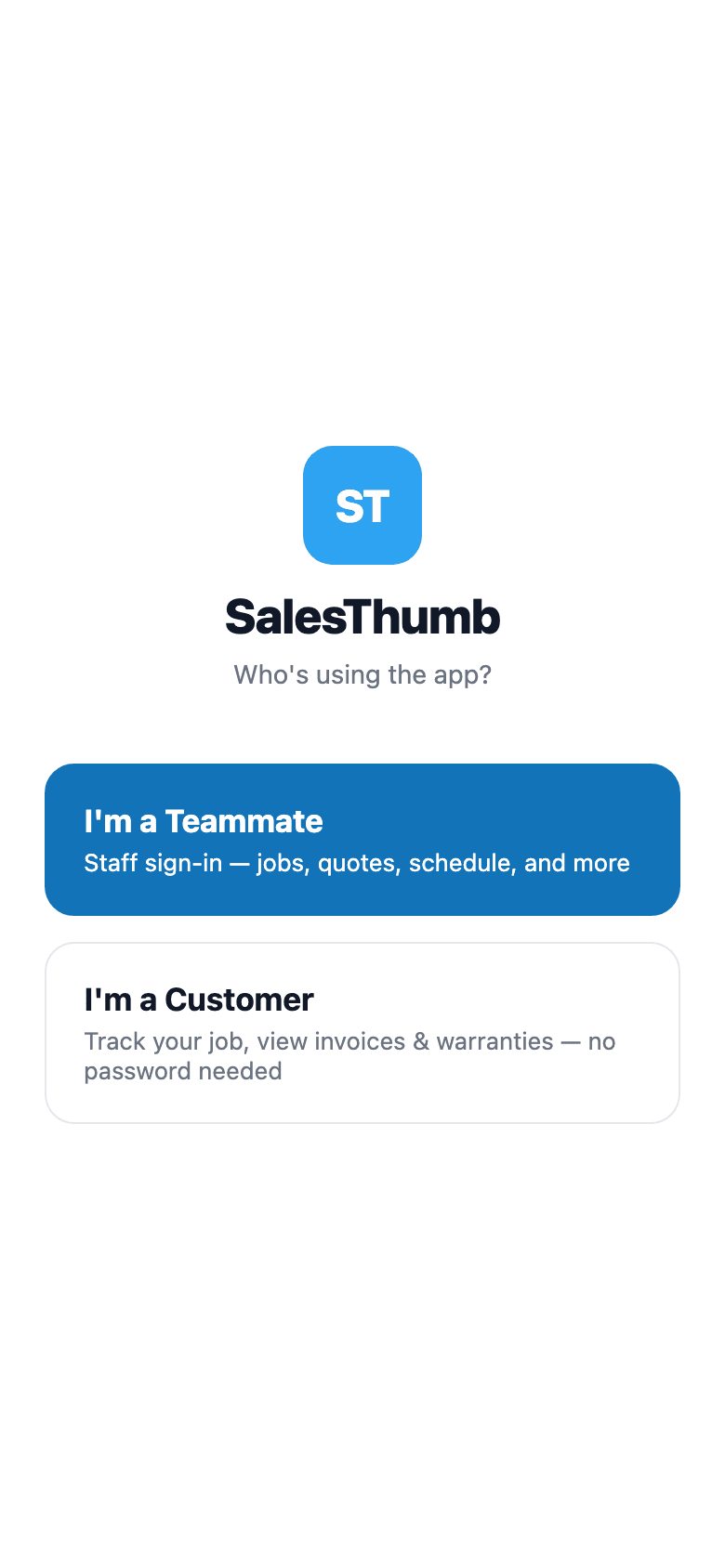
Customer login flow
Customer portal — magic link
Text or email a link. They land in their portal — no password.
The fastest path to put a customer in their own self-serve portal: text or email them a magic link from the customer detail page. They tap once, they're in. No password setup, no app install, no forgotten-credentials tickets to your front desk. Every send mints a fresh 30-day token — the old one keeps working too, it isn't revoked. The mobile app's SMS-code login mints a similarly-shaped token into the same table, though the two flows currently generate different-length hex strings under the hood.
- 'Portal link' dropdown on the customer detail page — Copy link / Text to customer / Email to customer
- 30-day token expiry — sending again mints a new token, it doesn't revoke the old one
- SMS or email delivery (operator picks per send)
- Lands at /portal/<token> — no password, no signup
- Customer sees: appointments, invoices, quotes, warranties, vehicles, loyalty card
- Token-scoped — no auth bleed between customers
What this looks like in a shop
Illustrative scenario: Sample Shop LLC just finished a $1,840 ceramic coating. Mike opens Sarah's customer page, clicks 'Portal link' → Text to customer. She gets an SMS with a link to view her job. She taps it, sees her warranty status and her invoice. No account creation, no support call, and Mike never had to email her a PDF.
SC
Sarah Chen
555-014-2821 · sarah.chen@hey.com
VehiclesTesla Model Y · 2024
Last serviceFront 2 Ceramic · 6 days ago
Lifetime spend$3,940
Customer detail page
Copy link
Text to customer
Email to customer
Clicking "Text to customer" mints a fresh 30-day link and sends it — the button label briefly changes to "Texted!" for about 2.5s, then reverts. No delivery or read-receipt tracking is kept.
Operator sends the portal link
Job Photos (Before / After / Damage)
Before, after, and the damage you called out on drop-off.
Photos are the most under-used tool in a tint shop. Shot right, they win disputes and turn every install into shareable content. SalesThumb captures before / after / damage photos from the installer's phone, links each shot to the appointment (and through it to the customer and vehicle), and gives the customer a branded gallery URL they can share. When something goes wrong six months later — 'was that scratch there?' — you open one screen, see the pre-install damage-tagged photo with the timestamp, and the conversation's over.
- One-tap shortcut from today's schedule to the active appointment
- Category picker first: before / after / damage
- Background upload — tech keeps working while the photo uploads
- AI-suggested one-line caption per photo — tech can edit or accept
What this looks like in a shop
Black Tesla comes in, has a small scratch on the front bumper. Installer tags it as damage with a photo + caption. Three hours later the ceramic coat is done, installer captures 8 after-shots. Customer gets a laid-out gallery URL they can share with friends. Zero 'did you do this?' arguments, guaranteed.
Priya M. · 2023 Mazda CX-5 · gallery
38 photos · installed Apr 20 by Alex P.
All38
Before12
After24
Damage2
Hero · before / after

Before

After
Hero
After shots · 24
Clean install
Edge detail
Wide shot
Close-up
Full vehicle
Finish check
Side angle
Final shot
Summary
Before12
After24
Damage2 · pre-existing
Share
salesthumb.co/g/apt-1120
Native share sheet (Messages, IG, etc.)
Caption
Full vehicle ceramic tint, driver-side rear glass — clean black wrap line, no air pockets visible
AI-suggested per photo — one line, tech can edit or accept
Gallery view
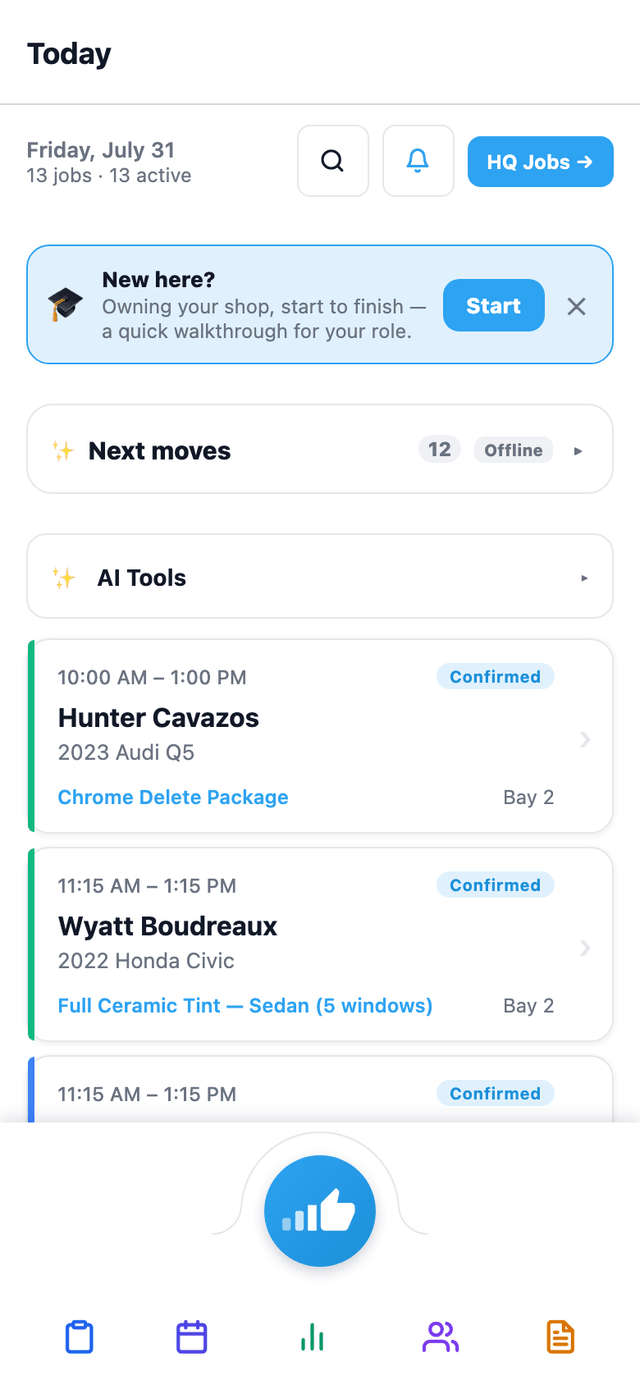
Also on mobile
Photo → Quote and Install QC — the two AI photo tools — sit right on the mobile app's Today screen, one tap from the installer's job queue.
Live job tracker
Customer follows the job in real time. No 'where's my car?' calls.
Generate a tracker link for an appointment and text it to the customer. The page shows a live status — Confirmed, Checked in, In progress (with the current stage name), Ready for pickup, or Complete — and refreshes every 30 seconds while the job is active. They don't need to call you, you don't need to call them. Once the job is marked complete, the page links out to the photo gallery, which also hosts a tip-the-crew card.
- Public /track/<token>?appt=<id> URL, generated per appointment
- Live status: Confirmed / Checked in / In progress / Ready for pickup / Complete
- Auto-refresh every 30s while the job is active — stops once it's done
- ETA estimate in minutes remaining, computed from stage timestamps
- Post-completion: links to a separate photo gallery + tip-the-crew page
- Token-scoped — no login, no app install
What this looks like in a shop
Marcus drops his F-150 for a full ceramic. He gets a tracker link via SMS. Throughout the day he glances at the tab — Checked in → In progress (Film cut, ~40 min remaining) → Ready for pickup. Marcus never called the shop. Pickup is smooth, and afterward he taps into the photo gallery to leave a tip.
Sample Shop LLC · Live tracker
Tesla Model Y · Front 2 Ceramic
Now
Film cut
~15 min remaining
- ✓Confirmed
- ✓Checked in
- •In progress
- 4Ready for pickup
- 5Complete
Refreshes every 30s while the job is in progress · powered by SalesThumb
Customer's tracker view
Customer CRM
Every customer, vehicle, and history in one place.
Your shop's five-year memory, in one searchable place. Every customer, every vehicle they've owned, every appointment you've done, every quote, every payment, every photo, every SMS — threaded into a single timeline that loads the second someone walks in the door. Search by plate, VIN, phone, or a guess at the name. No more spreadsheets, no more paper folders, no more asking the tech if you've done this car before. The record stays clean because the product forces it to.
- Unlimited customers on every plan — never archived, never charged per-contact
- Multi-vehicle per customer; co-ownership and household links
- Notes, tags, and VIP / referral-source / fleet / do-not-book labels
- Marketing opt-in / opt-out per channel (SMS, email, push) — TCPA-ready
- Soft-deleted records kept 90 days (accidental deletes are recoverable)
- Per-customer portal link — they see their own quotes, invoices, warranties
What this looks like in a shop
Jessica rolls into the shop in a blacked-out G-Wagen. You punch in 'BLK4U' — the plate pops right up. You see she was in 18 months ago for ceramic, there's a scratch she noted last time, her phone is on file, and she's tagged 'VIP Referral Source.' Your install quote loads with her preferred film brand pre-selected.
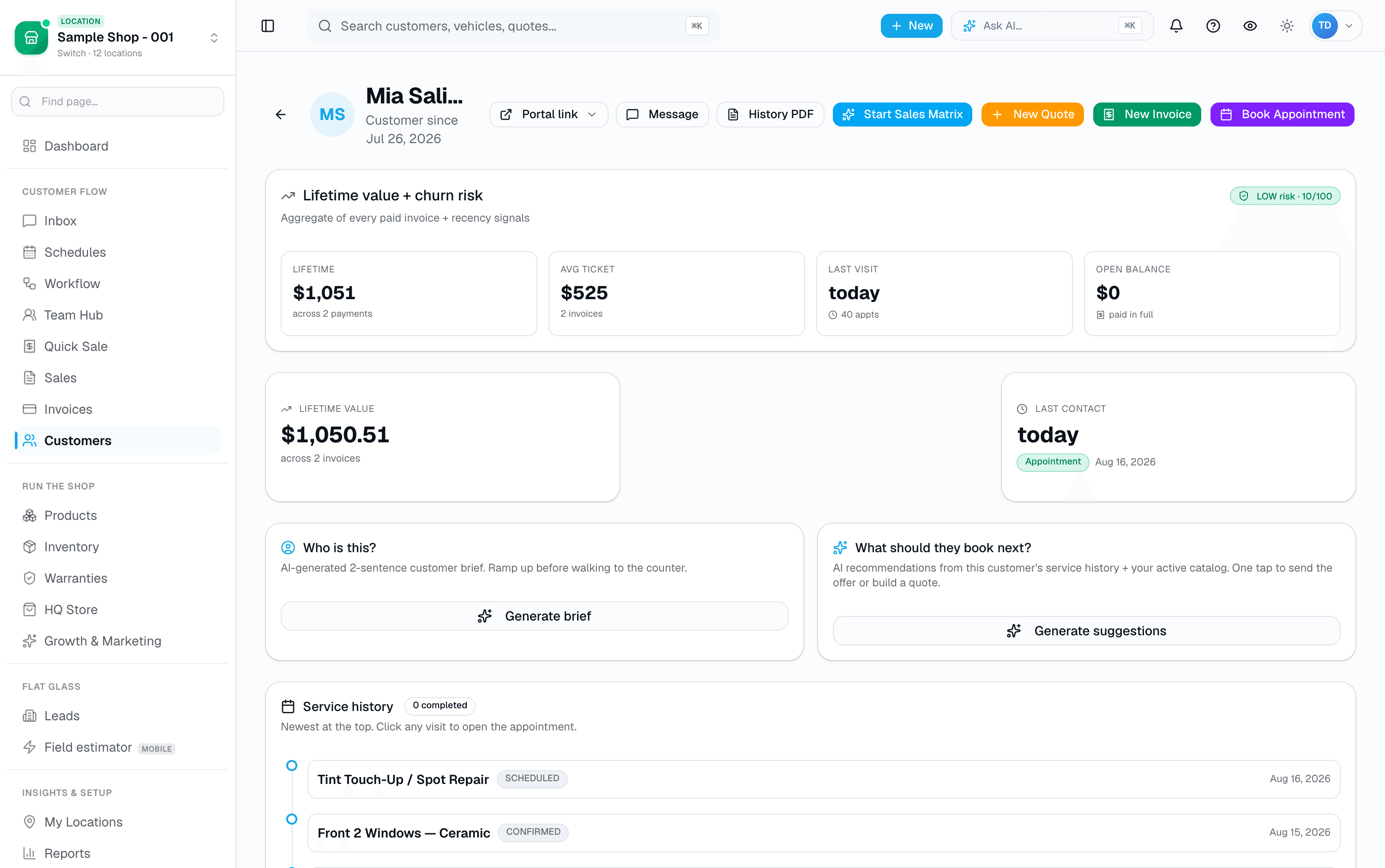
Customer profile
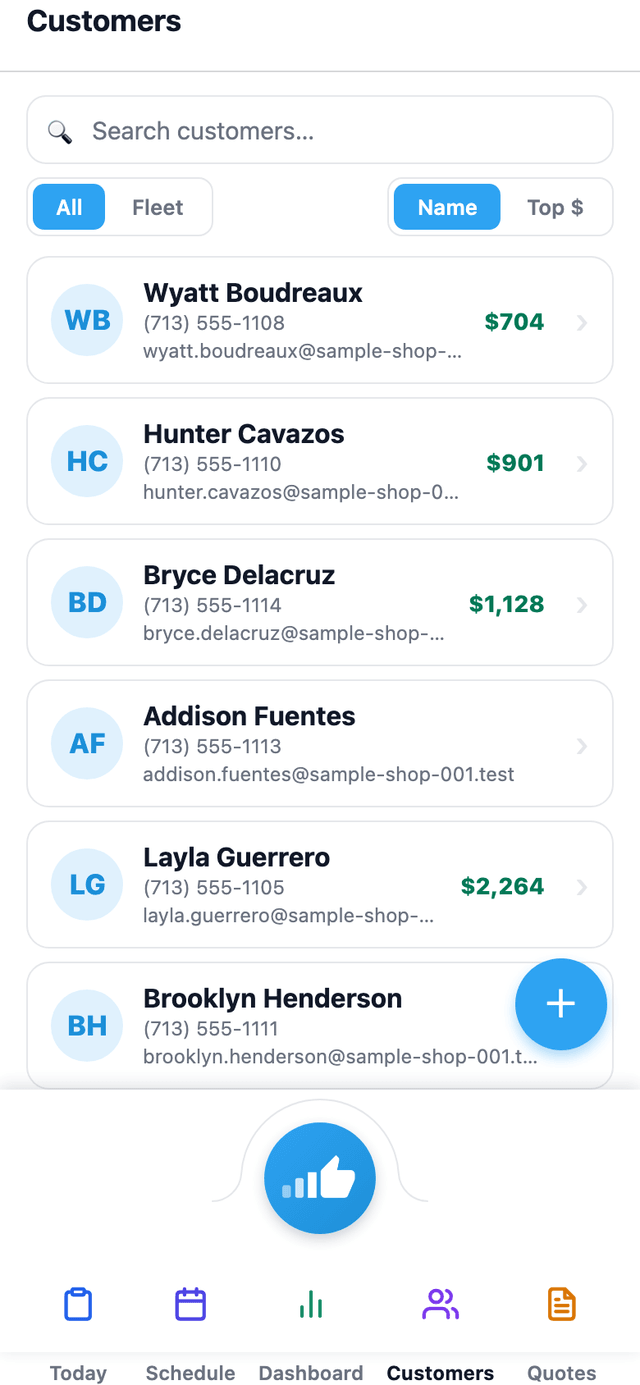
Also on mobile
The mobile app's Customers tab lists every customer with lifetime value at a glance — the same CRM data as the web app, in your pocket.
Sales playbook engine
Every paid invoice fires a 12-month sales sequence. Hands-off.
Your busiest day is the day you don't follow up. The Sales Playbook does it for you: when an invoice flips PAID, a six-step nudge sequence enqueues against the customer — t+24h review, t+7d warranty registration, t+30d cross-sell, t+90d maintenance check, t+180d win-back with a discount, t+365d anniversary — each delivered by SMS (the only channel — there's no email variant) at the scheduled time. Five of the six steps use editable template copy with merge fields ({{firstName}}, {{shopName}}, etc.); only the cross-sell step's pitch line is written per-customer by AI, using the customer's real purchase history. Replies are AI-classified and acted on. Operator opt-outs honored. Per-shop kill switch, per-customer opt-out, full timeline view per invoice.
- Six-step sequence per paid invoice (t+24h → t+365d)
- SMS only — no email channel for playbook nudges
- AI-written pitch line for the cross-sell step, using real purchase history
- AI reply intent classifier — auto-marks DONE / SKIPPED / opts customer out (confidence-gated, 0.7 floor)
- Per-shop master kill switch + per-customer opt-out (NUDGES OFF keyword)
- Per-shop template editor: edit the copy, change the delay, disable a step
What this looks like in a shop
Illustrative scenario: a shop enables the playbook on a Wednesday. Eight days later, three customers reply 'yes pls send PPF quote' to the +30d cross-sell — the owner sees them flagged FOLLOW UP MANUALLY in the next-morning replies digest and sends quotes the same day. The shop had been doing zero post-paid follow-up before this; the only ongoing operator time it costs is reading the digest.
✨ Playbook · invoice #2841 paid
Sarah Chen · Tesla Model Y · Front 2 Ceramic 70/35
6-step sequence
+24h → +365d
- +24h✓ sent
Review request
Sat 9:14am · 4.9★ reply
- +7d✓ sent
Warranty registration
Fri 11:30am · clicked
- +30d✓ sent
Cross-sell · PPF
Today · 'yes pls send quote' · marked DONE by AI
- +90dqueued
Maintenance check
Aug 1, 9am Central
- +180dqueued
Win-back · 15% off
Oct 30, 11am Central
- +365dqueued
1-year anniversary
May 3, 2027
Playbook timeline · invoice #2841
Online Booking
A booking page that actually fills your slow days.
Your booking page is your salesperson at 11 PM. It lives at your shop slug (midnight-tint.salesthumb.com/book), works from any phone, and is branded to your colors, your logo, your services. Customers walk a 4-step flow — pick a service, choose a time, enter their info, review and confirm — see your real availability pulled from the same calendar you run the shop on, and pay a deposit if you require one. Every booking creates a customer record, an appointment on your calendar, and a confirmation. You sleep, the funnel works.
- Branded mobile page — your logo, accent color, welcome message
- Service picker with name, category, description, duration, and price
- "Describe what you need" helper matches plain-English requests to the right service
- Calendar + time-of-day grouped slot list (morning / afternoon / evening) pulled from real availability
- Optional preferred-installer picker, showing pinned award badges
- Vehicle year/make/model/color — optional text fields, no scan required
What this looks like in a shop
Thursday at 11pm a customer finds your shop on Instagram. They tap your bio link, pick ceramic tint, see your real availability, and book a Saturday slot. If your policy requires it, they pay a deposit right there. You wake up to a confirmed booking on your calendar and a new customer record — no DM back-and-forth.
Illustrative scenario4.9
🔒midnight-tint.salesthumb.com/book
M
Sample Shop LLC
Austin · est. 2019
Book your install
Tint, PPF, ceramic coating. Pick a service and a time — deposit locks your slot.
- C
Ceramic Window Tint
from $549·2-3h - P
Paint Protection Film
from $1,899·1-2 days - C
Ceramic Coating
from $799·1 day
4412 W 6th St
412
Booking landing
Employee + owner recognition
Milestones, badges, and a wall they actually care about.
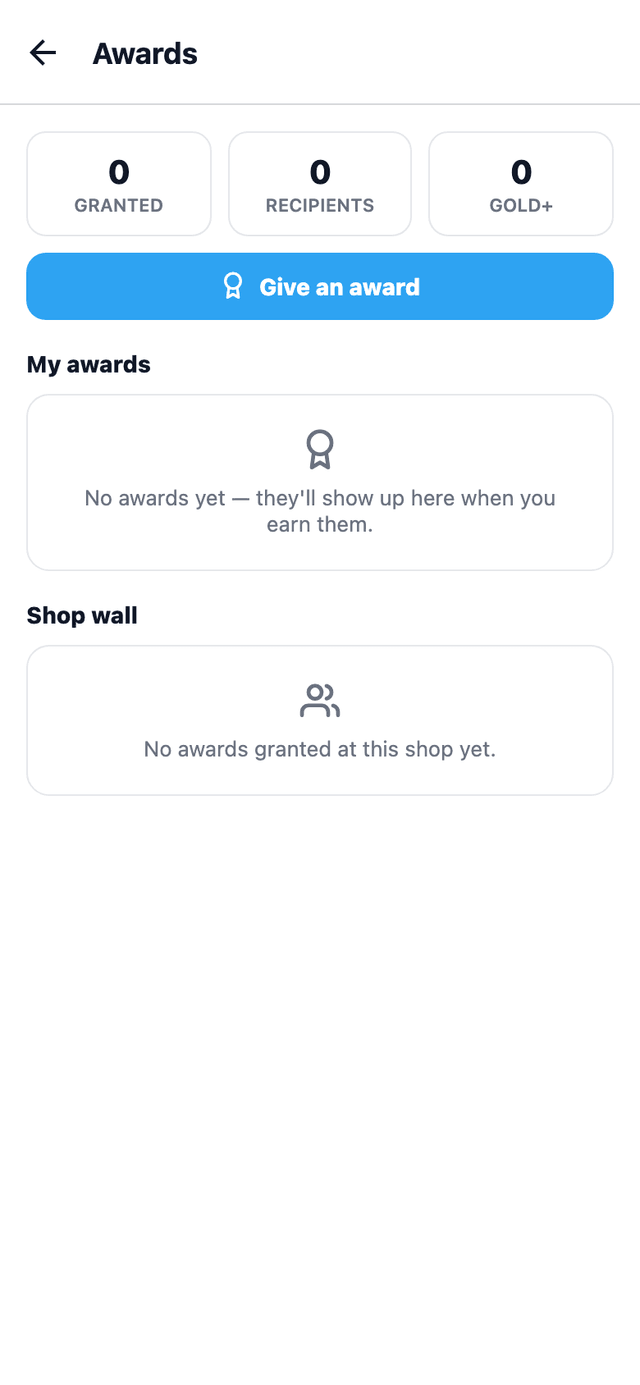
Tint and detail shops are full of installers who quietly hit their 100th ceramic install or string together 30 perfect-review weeks — and nobody notices. SalesThumb's Awards system makes recognition automatic. A nightly cron watches the numbers your shop already tracks (revenue installed, five-star reviews collected, perfect weeks without a redo) and grants milestone badges the moment criteria are met. Each employee gets a collection wall on their profile. HQ rolls every shop's awards into one chain-wide leaderboard. And the awards an employee chooses to pin show up publicly on your booking page — turning recognition into a sales tool.
- 15 starter templates (100/500/1,000 installs, $100k revenue club, 30 perfect weeks, 50 five-star reviews, more)
- Auto-grant cron — nightly job evaluates criteria DSL per template
- Criteria DSL: revenue_cents, five_star_reviews, perfect_weeks, installs_count, tenure_days
- Per-employee collection wall at /app/profile/awards with earned + locked badges
- HQ org-wide rollup at /app/hq/[orgId]/awards — leaderboard across every shop
- Pinned awards surface publicly on the booking page as live social proof
What this looks like in a shop
Illustrative scenario: Marco at Sample Shop LLC quietly hit his 500th ceramic install on a Tuesday afternoon. The nightly auto-grant cron caught it at 2am, awarded the '500-Install Club' badge, and dropped it on his profile wall. Wednesday morning Mike (the owner) saw the new badge on the HQ leaderboard, slacked Marco a congrats from his phone, and pinned the badge to the shop's public booking page. By Friday three customers asked about 'the 500-install guy' when booking. Marco re-signed his contract two weeks later citing 'you actually noticed.'
My Awards
Your collection at Sample Shop LLC · 14 earned
Total
14
Pinned
3
Bronze
5
Silver
4
Gold
3
Platinum
1
Diamond
1
Featured
Century Club
Gold · Milestone
100 jobs without a comeback
Earned 3 days ago
5-Year Anniversary
Platinum · Tenure
Half a decade on the team
Earned 2 wks ago
Founder's Pick
Diamond · Special
Personally recognized by ownership
Earned 1 mo ago
AllQualityMilestoneTenureTeamworkSafetyRevenueSort · Newest
Collection · 6 of 14 shown
Perfect Week
Silver · Quality
5+ jobs · zero comebacks
Earned yesterday
First Install
Bronze · Milestone
First completed job at the shop
Earned Apr 12
5-Star Streak
Gold · Quality
10 consecutive 5-star reviews
Earned 1 wk ago
Mentor
Silver · Teamwork
Trained 3+ new installers
Earned Mar 02
Safety First
Bronze · Safety
90 days · zero incidents
Earned Feb 18
Top Closer · Q1
Gold · Revenue
Highest quote-to-paid rate
Earned Apr 02
Awards collection wall
Also on mobile
The mobile app's Awards tab shows the team awards wall — milestone, tenure, and manager-pick badges — right on the phone in a tech's pocket.
Lifecycle kanban
Every customer, on a board your team actually moves.
Most shops know who their VIPs are and who they haven't seen in a year, but there's no single screen that shows the relationship, not just the appointment. The Customer Pipeline seeds six starter stages (rename, recolor, add, or remove any of them), and every customer's card shows real signals at a glance — last visit, lifetime spend (computed live from actual payments, not a stale cached total), vehicle count, last contact. New customers wait in an 'unplaced' tray until someone places them, and every move after that is a deliberate drag — or an auto-stage rule you defined yourself, with your own thresholds, that runs nightly or on demand.
- 6 starter stages: Lead, Prospect, Active, At Risk, Won Back, Churned — fully renameable, recolorable, and reorderable
- Card data computed live: lifetime spend from actual completed payments, last visit, last contact, vehicle count
- Optional auto-stage rules you configure: no-visit-days, no-contact-days, lifetime-spend thresholds, first-visit-within-days — each with its own destination stage
- Auto-stage rules run nightly, or on demand via 'Run rules now'
- Range presets (Today / week / month / 30d / 90d / YTD / 12mo) drive the stats strip — Total, Active-in-range, At Risk, Avg time in stage
- Drag-and-drop between stages; click a card to open the full customer record
What this looks like in a shop
Illustrative scenario: Sample Shop LLC's manager set up two auto-stage rules a while back — no visit in 90 days moves a customer to At Risk, and a booked appointment within 30 days after that moves them to Won Back. She opens the pipeline Monday morning, sees last night's rule run already surfaced 6 newly-At-Risk customers with a lifetime spend north of $1,000 each, and drags two of them straight into a follow-up conversation she starts from their customer record.
Customer pipeline
Lifecycle bands · drag a card to move stage · 237 customers
Last 90d
TodayThis weekThis monthLast 30dLast 90dYTDLast 12mo
Total
237
Active
14260%
At Risk
23+4
Avg time-in-stage
42d
Lead
—
TB
Tasha B.
Inquired 2d ago
—1 veh
OR
Owen R.
Quote viewed 6h ago
—1 veh
+12 more
Prospect
$0 / $4.2k pot.
SH
Sara H.
Booked Thu
—1 veh
ML
Marcus L.
Quote sent 1d ago
—2 veh
+7 more
Active
$68.4k LTV
PM
Priya M.
Visited 3d ago
$2,1402 veh
DB
Devon B.
Visited 2 wk ago
$1,3891 veh
GH
Grace H.
Visited 8d ago
$3,2123 veh
+139 more
At Risk
$11.8k at risk
MR
Miguel R.
63d since last visit
$1,8792 veh
JP
Jenna P.
71d since last visit
$8491 veh
+21 more
Won Back
$5.4k recovered
RC
Ryan C.
Re-booked yesterday
$1,0511 veh
AT
Alex T.
Re-booked 5d ago
$2,4402 veh
+9 more
Churned
$14.2k lost LTV
NK
Nate K.
Last seen 14 mo ago
$6121 veh
+37 more
Pipeline kanban — 6 bands at a glance
More in customer experience
Supporting tools that round out the pillar.
Tip-the-tech
On the photo gallery, customers can tip the team — chip presets + custom amount. 100% goes to the shop, no platform cut.
Pickup-ready · one-tap SMS
Job hits COMPLETED → dashboard surfaces a 'Notify ready' button that texts the customer with a deep link to the photo gallery. Closes the loop.
Auto-SMS at status changes
Work moves to IN_PROGRESS → customer is texted with an ETA. Moves to ON_HOLD → texted with a reason. No manual messaging discipline required.
Reputation module
Collected Google + Yelp reviews on a single page, AI reply-draft queue, auto-republish to your booking page footer for fresh social proof.
No-show recovery auto-SMS
Customer doesn't show? AI fires a recovery SMS within 15 min ('we held your slot — want to rebook?') with a one-tap reschedule link.
Loyalty + gift cards + coupons
Stamp-card style loyalty programs, sellable gift cards, single-use + multi-use coupon codes — coupons apply as a discount line when you build the invoice.
Lobby kiosk check-in
Tablet at the front desk: customer types last-4 of phone, system finds their appointment, marks them checked in. No staff intervention.
Other pillars
The full feature taxonomy.